I followed the instructions posted on Manage your user profile and preferences) but my certificate still reflects my first name in lower case and my last name as n/a. I need it to have my full name, as in my profile. How can I rectify this? Thank you.
Hello @NDean ,
Thank you so much for reaching out. Can you confirm what course you were taking and I will make the change?
Always,
Anissa
Social Media Marketing. Thank you!
@NDean Thank you so much, I just updated it. If you access the certificate again and you should see the change.
Always,
Anissa
Thank you, Anissa. I appreciate that. Unfortunately, it still shows with the incorrect name. I followed the instructions you posted for someone else with the same issue but no change. I also tried emptying my cache, quitting my browser, restarting, logging out and back in. I also downloaded it and the downloaded copy is incorrect, as well. Not sure how to see the corrected certificate.
Hello,
Someone else had an “accepted solution” from @JenWeiss to this same incorrect name problem that involved regenerating the certificate. I’m not sure if that was done in my case or the others where the name is still incorrect on our certificates but I followed all instructions and days later I still see the incorrect version and when I download it, I still get the incorrect version.
I have this certificate, with my last name showing as “n/a”, on my LinkedIn, and it looks very unprofessional. I know it’s a free certificate so maybe we don’t have a right to keep asking for a solution but I invested many hours in this and I’m trying to find a job. Could we please try regenerating the certificate? Thank you in advance.
Hello @NDean ,
Is this the correct version? This is what I see after regenerating the certificate
That is the correct version but when I download it, it’s still the incorrect version.
@NDean Can you try opeing it in an incognito window or a different browser?
I opened it in incognito and it’s the incorrect version. I also downloaded it again and it’s the incorrect version.
@NDean Thank you so much. I just check and I see the N/A you are talking about. I made one change to the account. Can you try once more?
Unfortunately, still incorrect. I think it might be because the certificate is tied to my Google account because that is what I used the first time I logged in to start the course. Is there a way to disconnect it from my Google? I already changed my email address so I do not use Google to log in anymore but it didn’t make any difference.
@NDean I have reached out to my team, since we are only able to see the updated Certificate our end, do you mind going through the steps to open the certificate from the Academy again and to please record a HAR file.
You can email it to apernell@hubspot.com.
Also are you able to open this link
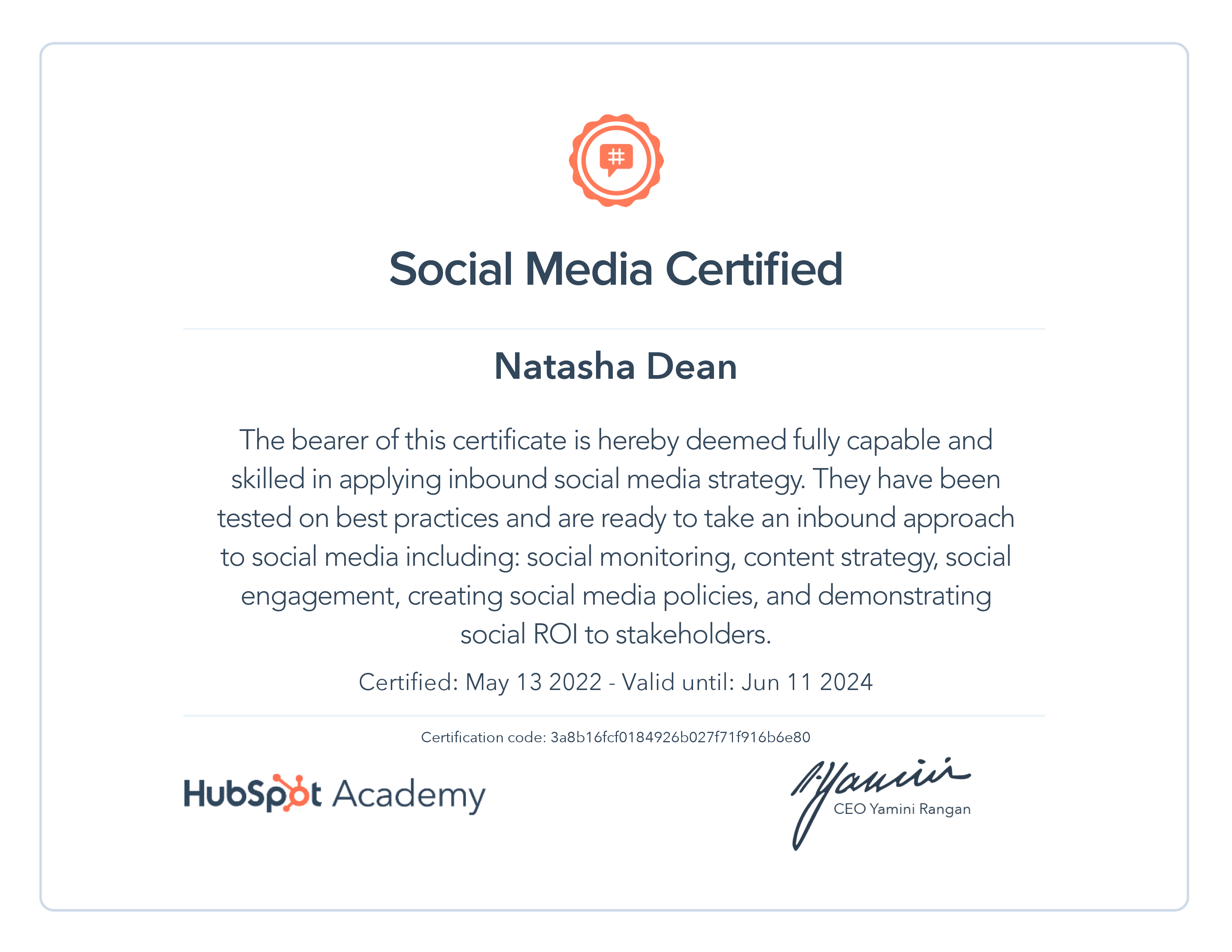
Thank you!
Hello, I sent you the HAR file and yes, I can open that link and the certificate is correct. It’s incorrect on my LinkedIn, on my completed certificates in Academy and when I download it. Edited to add: When I embed the code provided on a Wordpress page, it also displays the incorrect name.
Hello @NDean ,
Thank you for the HAR file. We are taking a look now and will message you when we get an update.
Thank you
Hello @NDean ,
Thank you for being patient. If you are still seeing the incorrect download link in another browser and/or an incognito mode, can you send me a HAR file again that includes a step or two before you click on the download link?
Email: apernell@hubspot.com
Thank you,
Anissa
Hello @APernell
I am finally seeing the correct name. Not sure how you fixed it but thank you!
Hello,
Were you able to determine the problem with the HAR file?
Hi @APernell
Would is be possible for you to delete this certificate image out of the thread? Thank you.