How to add button to custom HTML + HUBL module

I am starting work on creating custom modules for a landing page that will reuse a certain layout quite a bit. The layout is fairly simple, a header, content, and button.

So far I’ve been able to create the module, add the header and text section but for some reason I dont see `button` as an option under Fields to add to the page. There is link and I guess I could style it as a button but wasnt sure if thats the right way.

Hi @walkabout

That’s exactly how I would go about that - use a the link option in the module fields and your own HTML/CSS to create and style the actual button.

Thanks for the quick response, one other thing I noticed is when using the module I cannot change the link/button text. Shouldnt this be editable from the Drag and Drop custimization tool?

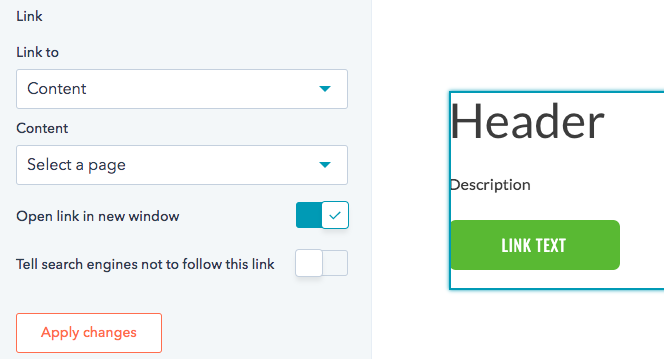
Heres a screenshot of options for link.

The link field is just for what content to link to - page, external URL, etc. To customize the actual button text, you would need an additional text field and insert that as your button text.
I am working on this issue right now and cannot figure out how to do this. This is what I have so far (but it isnt working):

<button class=“read-more”>

{% set href = item.button.button_link.url.href %}

{% if item.button.button_link.url.type is equalto “EMAIL_ADDRESS” %}

{% set href = “mailto:” + href %}

{% endif %}

<a href=“{{ href }}”

{% if item.button.button_link.open_in_new_tab %}target=“_blank”{% endif %}

{% if item.button.button_link.rel %}rel=“{{ item.button.button_link.rel }}”{% endif %}

>

{% inline_text field=“button.button_text” value=“{{ item.button.button_text }}” %}

</a>

</button>

Any help/assistance would be greatly appreciated!

@bholsey , any warnings or errors?

What is happening?

No errors. Nothing renders on the page.

Just tested this in my portal (obviously lacking your styles other html) and it is working.

{% for item in module.button %}
<button class="test">
	{% set href = item.link_field.url.href %}
	{% if item.link_field.url.type is equalto "EMAIL_ADDRESS" %}
		{% set href = "mailto:" + href %}
	{% endif %}
	<a href="{{ href }}"
		{% if item.link_field.open_in_new_tab %}target="_blank"{% endif %}
		{% if item.link_field.rel %}rel="{{ item.link_field.rel }}"{% endif %}
		>
 {% inline_text field="text_field" value="{{ item.text_field }}" %}
	</a>
</button>

{% endfor %}

and here is a screengrab of the design manager with the fields on the right for reference :grinning_face: